
GUIDE · SCROLL
Scroll practice for kids
How to roll the wheel, and which way is up.
Scrolling means moving the screen up and down to see what comes next. On a mouse, you roll the wheel in the middle. It is not a pressing motion like a click, so it feels different to a first-timer. This guide covers how to roll the wheel, and tips for teaching it.
Why scrolling is hard
- The wheel is hard to find. It is a small part in the middle of the mouse, so children need to look for it.
- It is hard to get the amount right. A small roll can move the screen a lot.
- The direction can feel backwards. It may be the opposite of a phone or tablet. → Trackpad or mouse first?
How to roll the wheel
- Find the wheel. Rest the tip of the index (or middle) finger on the round part in the middle of the mouse.
- Roll just a little. At first, roll one “click” and let your child see how the screen moves.
- Roll slowly and keep going. Saying “round and round” while rolling slowly makes the movement steady.
It is easier to keep the finger on the wheel and roll it back and forth. Pressing the wheel down hard can trigger a different action (a wheel click), so touch it lightly.
Rolling up and rolling down
Rolling the wheel up (away from you) usually moves the page up, so you see what came before. Rolling down (toward you) shows what comes next. Showing your child both movements first makes it easier to picture.
The direction can be reversed in settings. If it feels backwards, see “Trackpad or mouse first?” for where to change it.
On a trackpad
On a laptop trackpad, slide two fingers together up and down. If the fingers are too close or too far apart, it may not respond. Start by putting two fingers together in the middle of the pad, then move slowly.
Practice with a game
In Hajimari Garden’s scroll game, children move the wheel (or two fingers on a trackpad) to zoom in and out of the meadow.
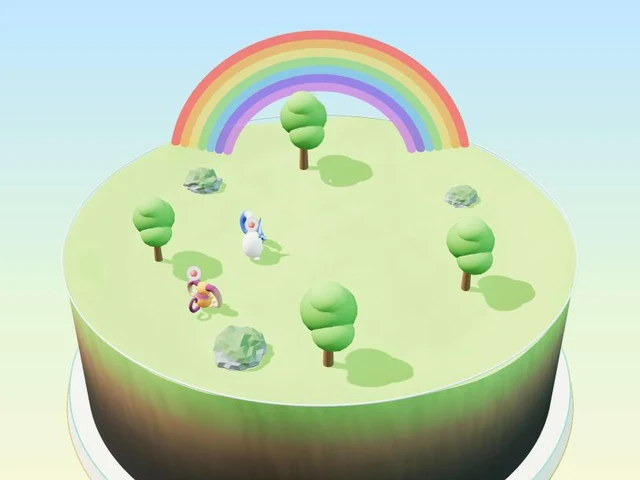
- At the first level, roll the wheel up to zoom in. Zoom in close, and you find small fairies.
- At the next level, roll the wheel down to zoom out. Zoom out, and a rainbow appears. You practice both directions.
- At the last level, roll up again and get even closer.
- A long gauge on the screen shows where you are and where to go.
- At first, a hand and a picture of the wheel show what to do. Mistakes never count as failing.
Free · No download · No sign-up · No ads on the game screen
FAQ
I roll the wheel, but the screen doesn’t move.
Check that a finger is resting lightly on the wheel. Some mice have no wheel, and some pages are too short to move. In the game, rolling the wheel changes how close you are.
The scrolling direction is opposite to a phone. What can we do?
The direction can often be changed in settings. Setting it to the direction your child expects is one simple fix. See “Trackpad or mouse first?” for where to find it.
At what age can children scroll?
It depends on the child, so we do not give an age. We suggest trying it after getting comfortable with clicking and dragging.